Basic Demo (Counter)
Overview
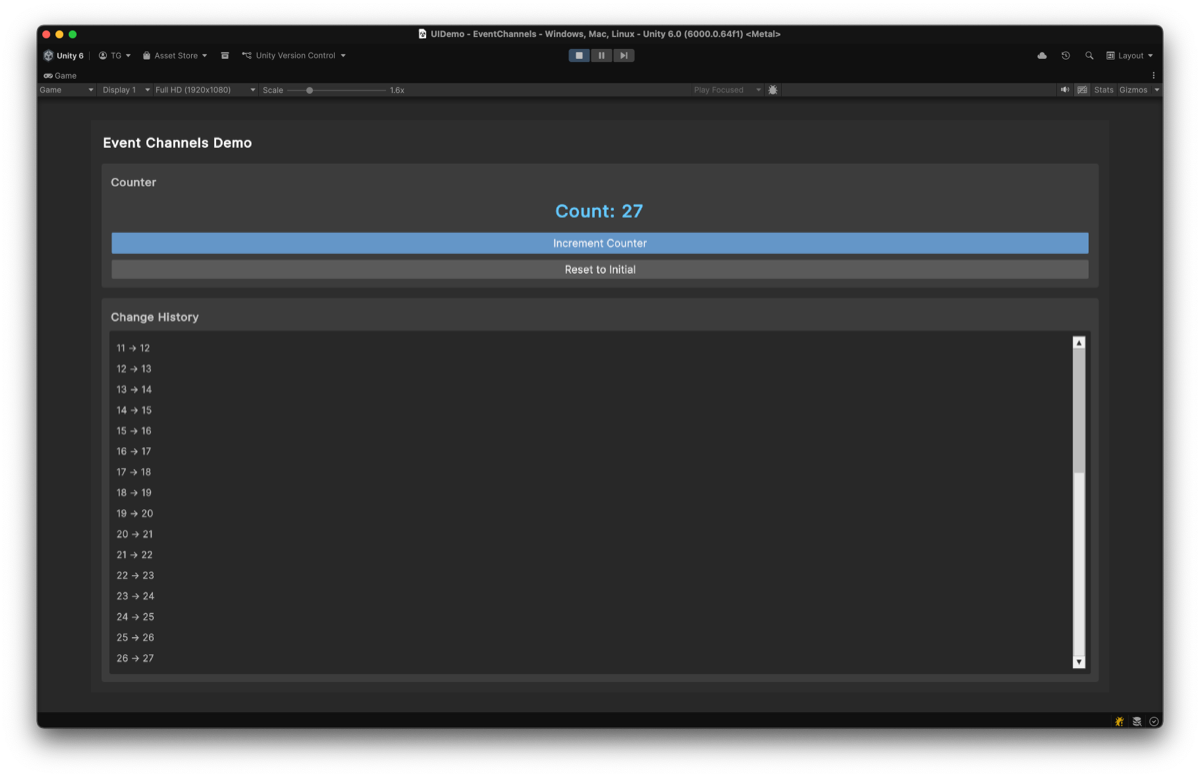
Demonstrates the fundamental Event Channels and Variables pattern with a simple counter UI. This demo shows how components can communicate through ScriptableObject-based events and share state through Variables, achieving complete decoupling.
The counter UI consists of the following elements.
- An increment button that raises an event
- A display that reads the counter value
- A reset button that restores the initial value
Features Used
| Feature | Asset | Description |
|---|---|---|
| Event Channel | OnCountIncremented (VoidEventChannelSO) | Button click event |
| Variable | Counter (IntVariableSO) | Shared counter state |
Architecture
graph LR
    subgraph "UI Layer"
        BTN[CounterButton]
        DSP[CounterDisplay]
    end

    subgraph "Event Channels"
        EVT[VoidEventChannelSO<br/>OnCountIncremented]
        VAR[IntVariableSO<br/>Counter]
    end

    subgraph "Logic"
        CTRL[CounterController]
    end

    BTN -->|"RaiseEvent()"| EVT
    EVT -->|"OnEventRaised"| CTRL
    CTRL -->|"Value++"| VAR
    VAR -->|"Read Value"| DSP
Key Insight: CounterButton, CounterController, and CounterDisplay have no direct dependencies on each other. All communication flows through Event Channels and Variables, making each component independently testable and reusable.
Key Files
| File | Description |
|---|---|
Scripts/CounterButton.cs | Raises VoidEventChannelSO on button click |
Scripts/CounterController.cs | Subscribes to event and increments IntVariableSO |
Scripts/CounterDisplay.cs | Reads and displays IntVariableSO.Value |
ScriptableObjects/Events/OnCountIncremented.asset | VoidEventChannelSO for button clicks |
ScriptableObjects/Variables/Counter.asset | IntVariableSO storing counter value |
Use Cases
This pattern is applicable to any scenario requiring decoupled component communication.
| Use Case | Example |
|---|---|
| Score Systems | Multiple UI elements displaying shared score |
| Inventory Updates | Events for item pickup, Variables for item counts |
| Game State | Pause/resume events, health/mana variables |
| Settings | Toggle events, preference variables |