Runtime Sets Demo
Overview
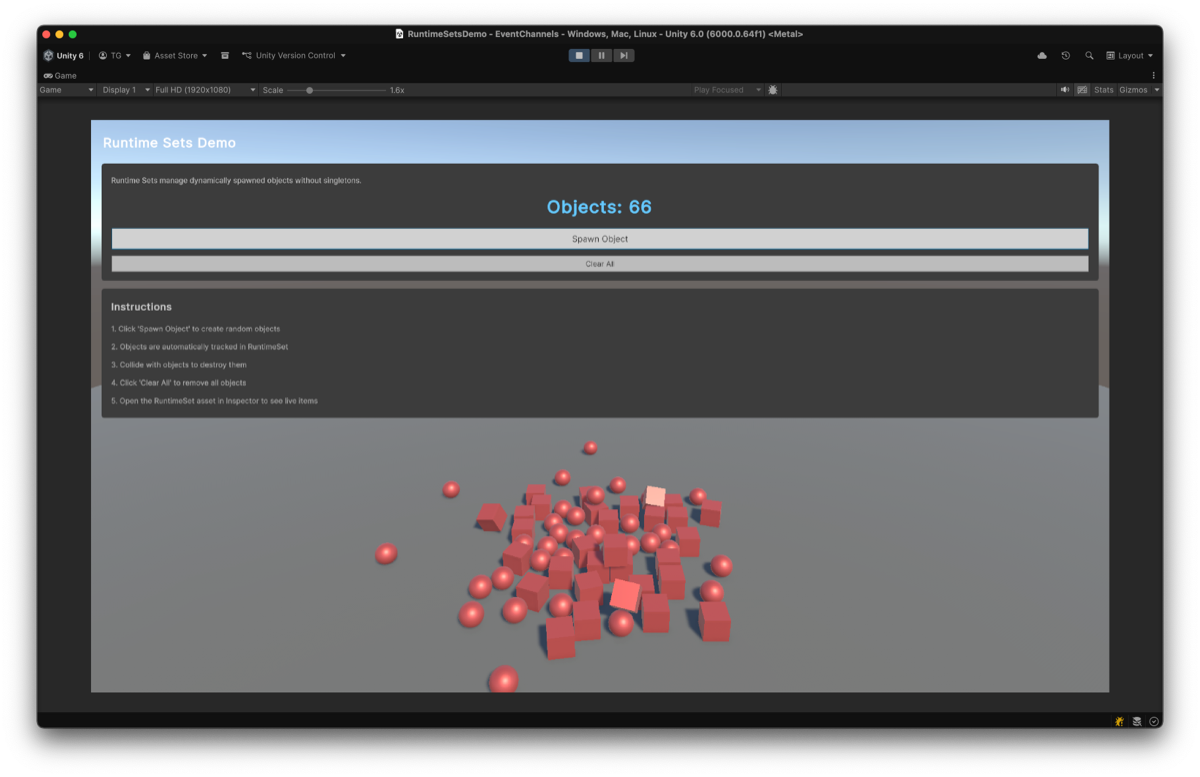
Demonstrates the Runtime Sets pattern - a ScriptableObject-based approach to managing dynamic collections of objects without using singletons.
The demo shows:
- Spawning and destroying objects with automatic collection tracking
- Event-driven UI updates when the collection changes
- Inspector visibility of active objects in real-time
Features Used
| Feature | Asset | Description |
|---|---|---|
| Runtime Set | SpawnedObjects (GameObjectRuntimeSetSO) | Tracks all spawned objects |
| Event Channel | OnSpawnClicked (VoidEventChannelSO) | Spawn button event |
| Event Channel | OnClearClicked (VoidEventChannelSO) | Clear button event |
| Event Channel | OnRuntimeSetUpdated (VoidEventChannelSO) | Collection change notification |
Architecture
graph LR
    subgraph "UI Layer"
        UI[RuntimeSetDemoUI]
        DSP[RuntimeSetDisplay]
    end

    subgraph "Event Channels"
        SPAWN_EVT[VoidEventChannelSO<br/>OnSpawnClicked]
        CLEAR_EVT[VoidEventChannelSO<br/>OnClearClicked]
        UPDATE_EVT[VoidEventChannelSO<br/>OnRuntimeSetUpdated]
    end

    subgraph "Runtime Set"
        SET[GameObjectRuntimeSetSO<br/>SpawnedObjects]
    end

    subgraph "Logic"
        SPAWNER[ObjectSpawner]
        CLEANER[RuntimeSetCleaner]
    end

    subgraph "Spawned Objects"
        OBJ[RuntimeSetMember]
    end

    UI -->|"RaiseEvent()"| SPAWN_EVT
    UI -->|"RaiseEvent()"| CLEAR_EVT
    SPAWN_EVT -->|"OnEventRaised"| SPAWNER
    SPAWNER -->|"Instantiate()"| OBJ
    OBJ -->|"OnEnable: Add()"| SET
    OBJ -->|"OnDisable: Remove()"| SET
    CLEAR_EVT -->|"OnEventRaised"| CLEANER
    CLEANER -->|"DestroyItems()"| SET
    SET -->|"onItemsChanged"| UPDATE_EVT
    UPDATE_EVT -->|"OnEventRaised"| DSP
Key Insight: Runtime Sets eliminate the need for manager singletons. Objects register themselves via RuntimeSetMember.OnEnable() and unregister via OnDisable(). This ensures proper lifecycle management - objects are automatically removed when destroyed or disabled.
Key Files
| File | Description |
|---|---|
Scripts/RuntimeSetDemoUI.cs | Connects UI buttons to EventChannels |
Scripts/ObjectSpawner.cs | Spawns objects (prefabs must have RuntimeSetMember) |
Scripts/RuntimeSetMember.cs | Self-registration component for prefabs |
Scripts/ObjectDestroyer.cs | Destroys objects on collision |
Scripts/RuntimeSetDisplay.cs | Displays current object count |
Scripts/RuntimeSetCleaner.cs | Clears all objects from RuntimeSet |
ScriptableObjects/RuntimeSets/SpawnedObjects.asset | GameObjectRuntimeSetSO |
How to Use
- Open the
RuntimeSetsDemoscene - Enter Play Mode
- Click Spawn Object to create random cubes/spheres
- Select the
SpawnedObjectsasset in the Project window to observe real-time tracking - Collide spawned objects with each other to destroy them
- Click Clear All to remove all objects at once
Use Cases
This pattern is applicable to any scenario requiring dynamic object collection management.
| Use Case | Example |
|---|---|
| Enemy Management | Track all active enemies without a manager singleton |
| Spawned Objects | Manage dynamically created pickups, projectiles, effects |
| UI Elements | Track active panels for bulk operations (close all, minimize all) |
| Level Cleanup | Destroy all spawned objects when changing scenes |